 See more from Ask Carzone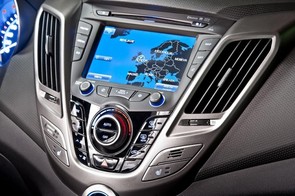
How do I dim my display screen?
I have a Hyundai Veloster and I love it. But why does the centre dash/screen light up like a christmas tree when you touch the heating? OMG it is so bright, and I can't turn it down. The shadow button turns it off until you have to adjust the heating again then BOOM!
Our answer:
Hi Oriel,
Yeah, it’s a bit of a problem – car makers are far too keen these days to fit big, bright screens without making it simple and easy to turn down the brightness at night. Have a look down to the right, behind the steering wheel and see if the car has been fitted with a dimmer switch for the dashboard lights. Not all are, but it should be there and it should help. If not, have a look through the settings menu for the screen, as there should be an option in there to adjust the brightness (referring to your owner's manual should help here). If that doesn’t help, go visit your dealer – there may be a way to adjust the screen to be less brightly lit.

Have a motoring question? Ask us here!
Ask us anything motoring related and please provide as much information as possible so we can give you the most accurate advice.